A menu is a reusable list of links. Build it once, then drop it into any page with a shortcode — change the menu later and every page that uses it follows.
1. Create the menu
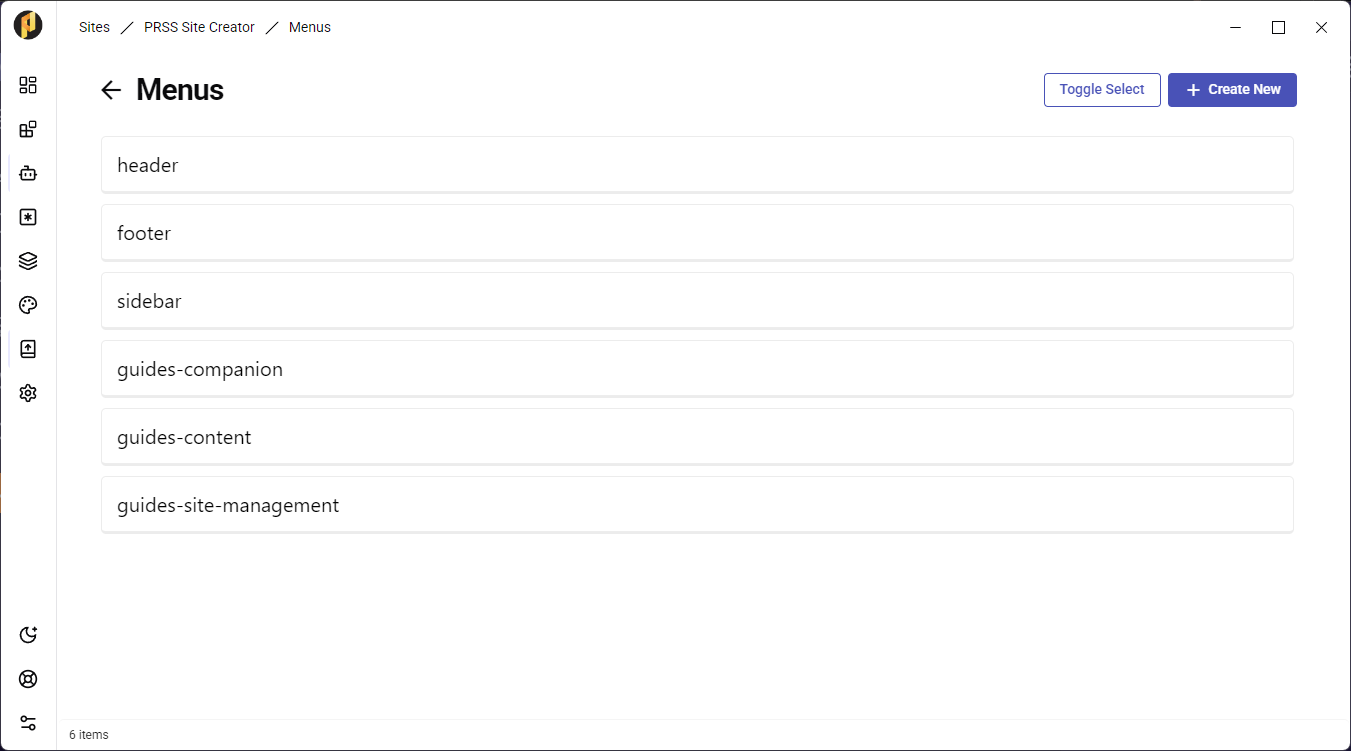
Open your site's dashboard and click Menus, then Create New. Give the menu a name you will recognise later, such as "guides-content".
2. Add items to it
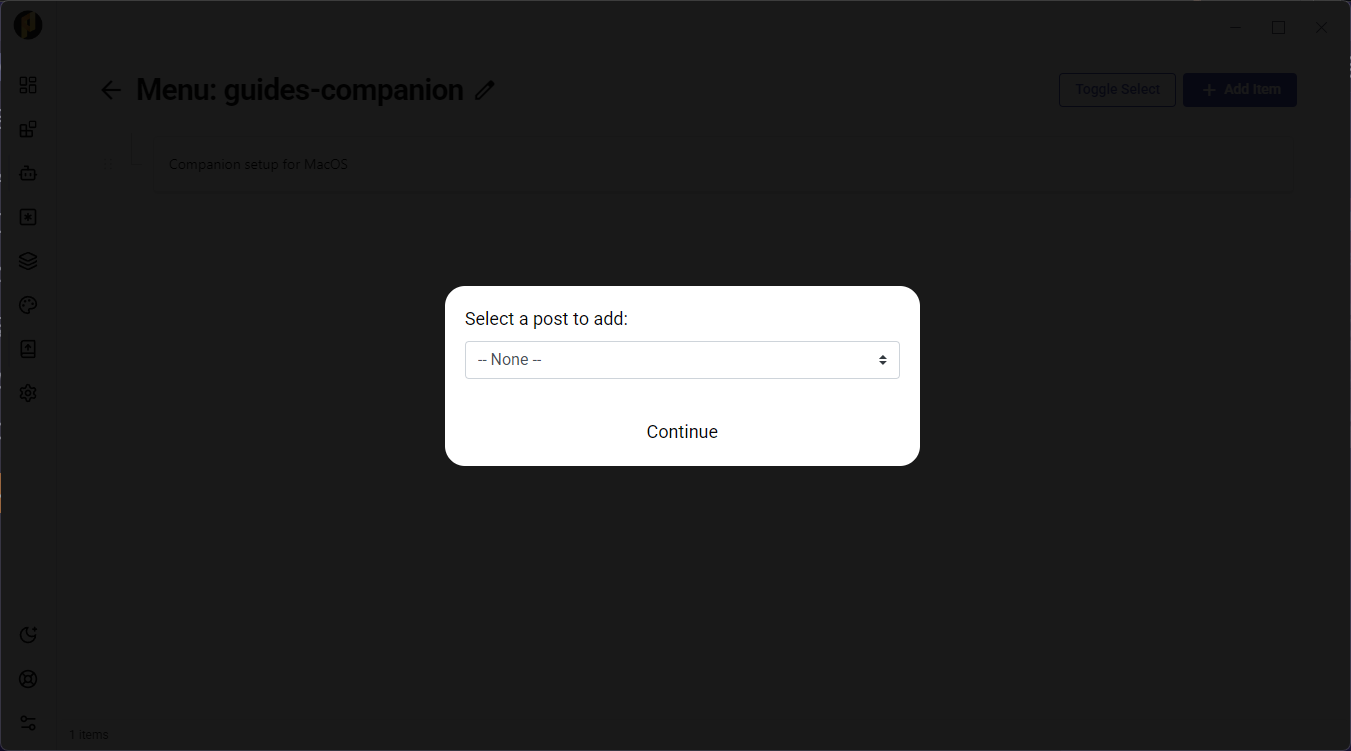
With the menu created, click Add items and pick the pages or posts it should link to. Drag them to set the order.
3. Drop it into a page
In any post or page, add the menu shortcode where you want the links to appear:
[menu]my-menu-name[/menu]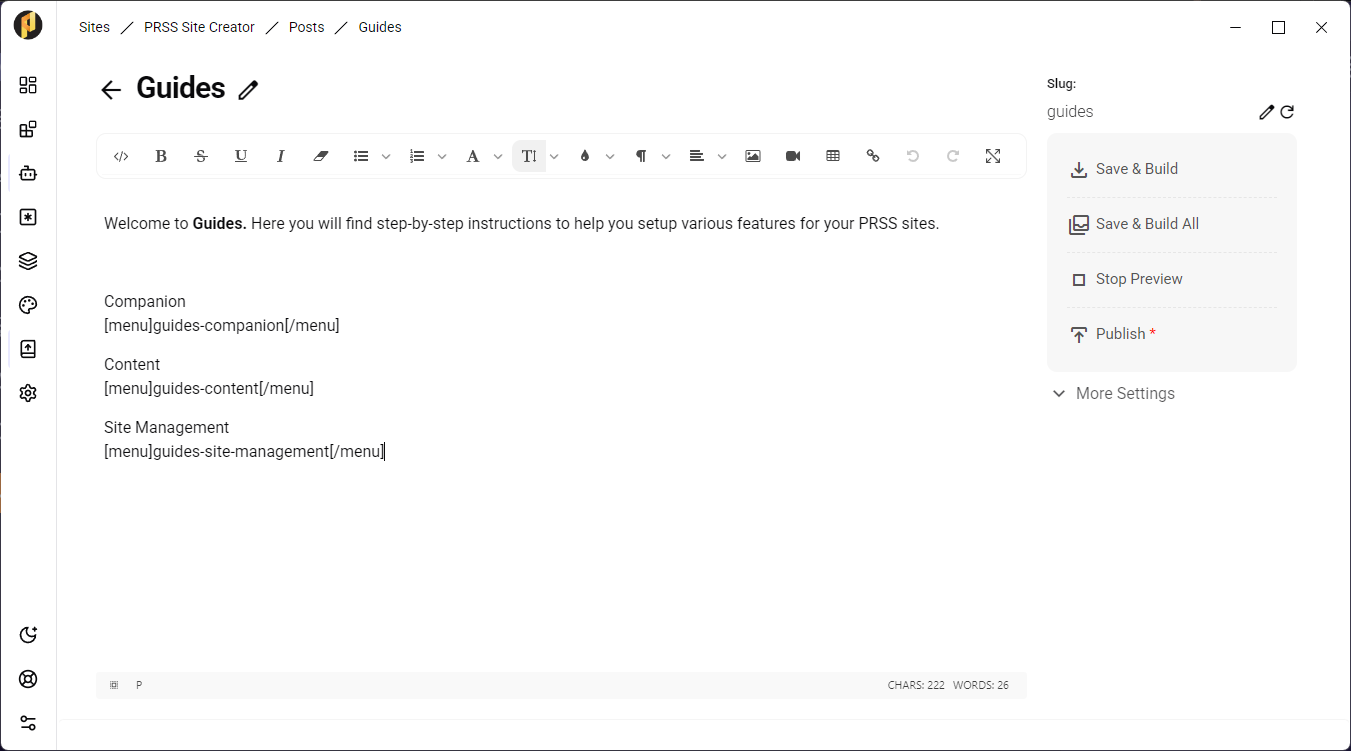
Menus also work in site variables, so a theme slot such as a sidebar can render one.