PRSS exposes its own operations over MCP, the Model Context Protocol. That lets an AI agent — Claude, Copilot, anything that speaks MCP — work on your sites the way you would.
What an agent can do
- List your sites and read their pages.
- Create and edit posts, and change site settings.
- Build a site and preview the result.
- Publish, when you let it.
What it cannot do
Within MCP, an agent sees exactly what your account covers: operations belonging to a product you have not bought are not offered and will not run — the agent simply does not see them.
Connect it
PRSS runs the MCP server itself, on your machine, for as long as the app is running. There is nothing to install: your agent needs the address, and PRSS needs to be running. The MCP server comes with Autoblogger, the same one-time purchase that runs your scheduled writing. Without it PRSS still answers an agent's handshake, but offers it no tools.
- Start PRSS and leave it running. The operations act on the live app on your machine.
- Open MCP Server in the sidebar to see the address and confirm the server is answering.
- Generate an API key while you are there, so only your agent is answered.
- Copy the configuration from that page into your agent's MCP settings — the copy includes the key, even though the page hides it.
- Restart the agent, and ask it to list your sites to confirm the connection.
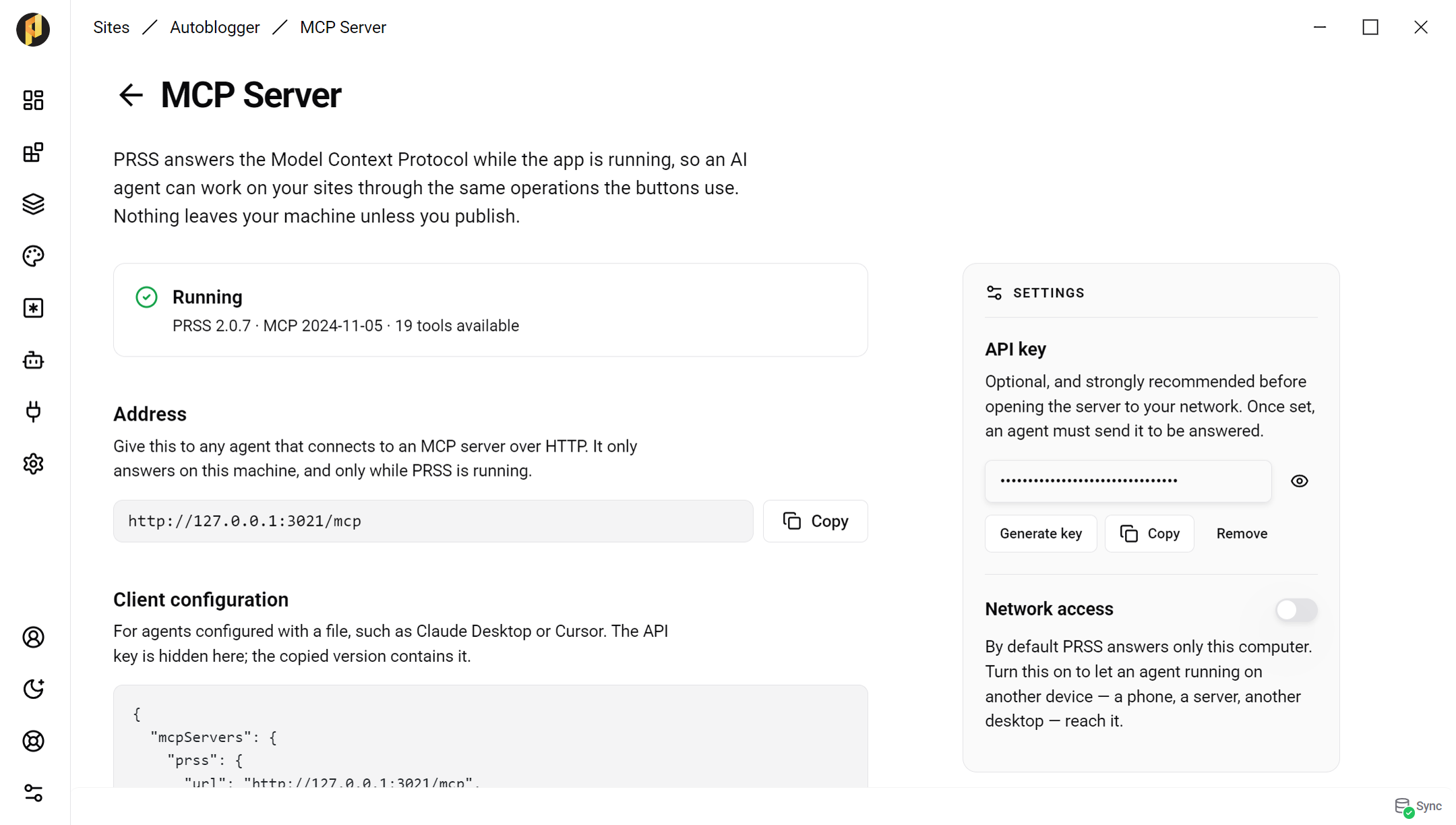
Everything you need is on this page: the address, a configuration to copy, and the tools an agent will see.
{
  "mcpServers": {
    "prss": {
      "url": "http://127.0.0.1:3021/mcp"
    }
  }
}
Who can reach it
PRSS answers only your own computer unless you say otherwise, and you can set an API key that an agent has to send before it gets a reply. Both live on the MCP Server page: turn on network access to let an agent on another device connect, and set a key before you do.
If it will not connect
PRSS keeps the same port between runs where it can, and the MCP page always shows the address actually in use — check there first. For a client that can only launch a command rather than call a URL, the PRSS repository has a small bridge script that forwards to the same server.