
PRSS speaks MCP, the Model Context Protocol. An AI agent can now list your sites, read and write posts, build, preview and publish — through the same operations the app itself uses.
Why go through the app
Because an agent editing files behind PRSS's back is how content gets corrupted. Every MCP operation runs the code path the buttons run, so structure, revisions and the database stay consistent.
Who it is for
The MCP server comes with Autoblogger, the same one-time purchase that runs your scheduled writing. Without it PRSS still answers an agent's handshake, but offers it no tools.
Beyond that, an agent sees exactly what your account covers: operations belonging to a product you have not bought are not listed and will not run.
Getting started
PRSS serves MCP from the server it already runs while the app is running, so connecting an agent is a matter of giving it an address:
{
  "mcpServers": {
    "prss": {
      "url": "http://127.0.0.1:3021/mcp"
    }
  }
}
The new MCP page in PRSS shows the address, a configuration you can copy, and every operation the agent would be offered — including the ones your account does not include, so there is no guessing about what it can reach.
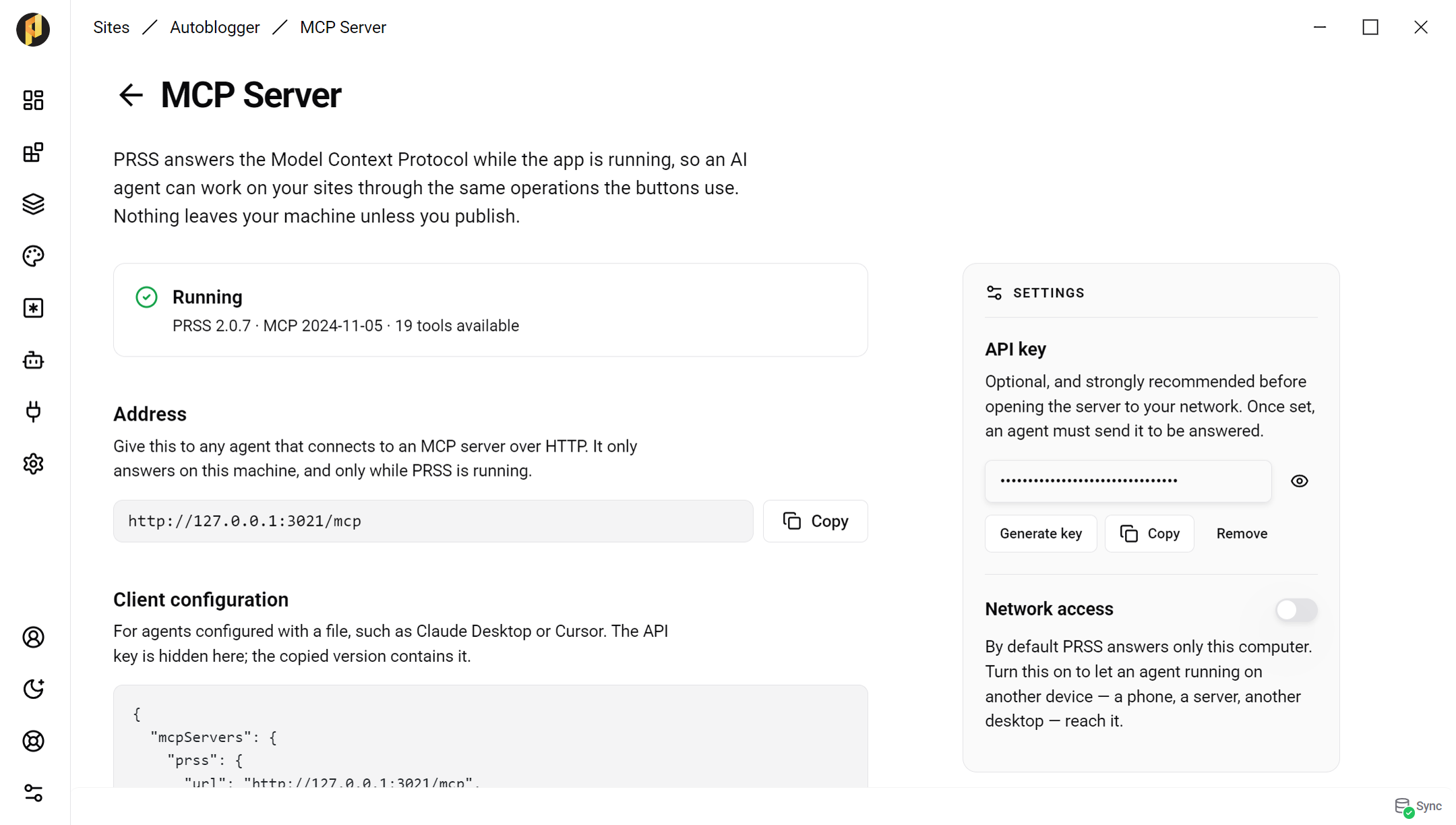
The MCP Server page: what is running, where to point an agent, and what it may do.
Who can reach it
PRSS answers only your own computer unless you say otherwise, and you can set an API key that an agent has to send before it gets a reply. Both live on the MCP Server page: turn on network access to let an agent on another device connect, and set a key before you do.
The guide walks through connecting an agent, and what it can reach once connected.