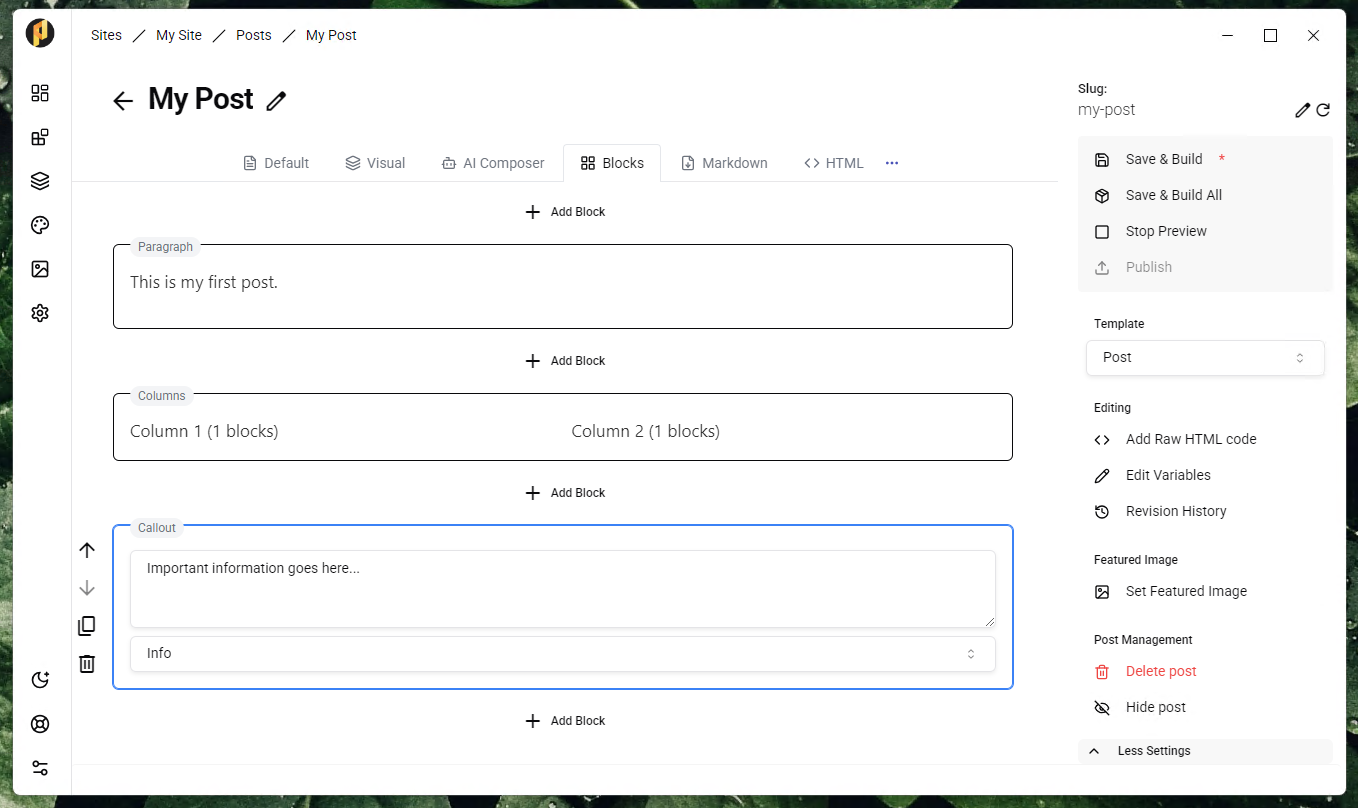
PRSS no longer has an editor. It has five, and you can move between them on the same page without losing anything.
Pick the one that suits the page
- Standard — plain rich text, with a full-screen view when you want nothing else on screen.
- Blocks — build the page from twenty-three block types, each with its own style panel.
- Visual — edit the real built page, in your real theme, in place.
- Markdown — Markdown on the left, live preview on the right.
- AI — describe the piece, generate a draft, refine it, then drop it in.
Switching is not a one-way door
Every editor writes to the same content. Blocks are stored inside your normal page HTML, Markdown is converted as you type, and the AI composer inserts into whatever you were already using. Open a page in a different editor and it reads back in.
Try before you buy
The Blocks, Visual, Markdown and AI editors are premium, and each offers a seven day trial straight from its editor tab — once per installation, no card required.
The standard editor, and Companion's right-click rewriting, stay free.