
The right-click menu is back in the default editor for everyone using the free Companion addon. It was switched off while the editors were rebuilt; that work is done, so it returns.
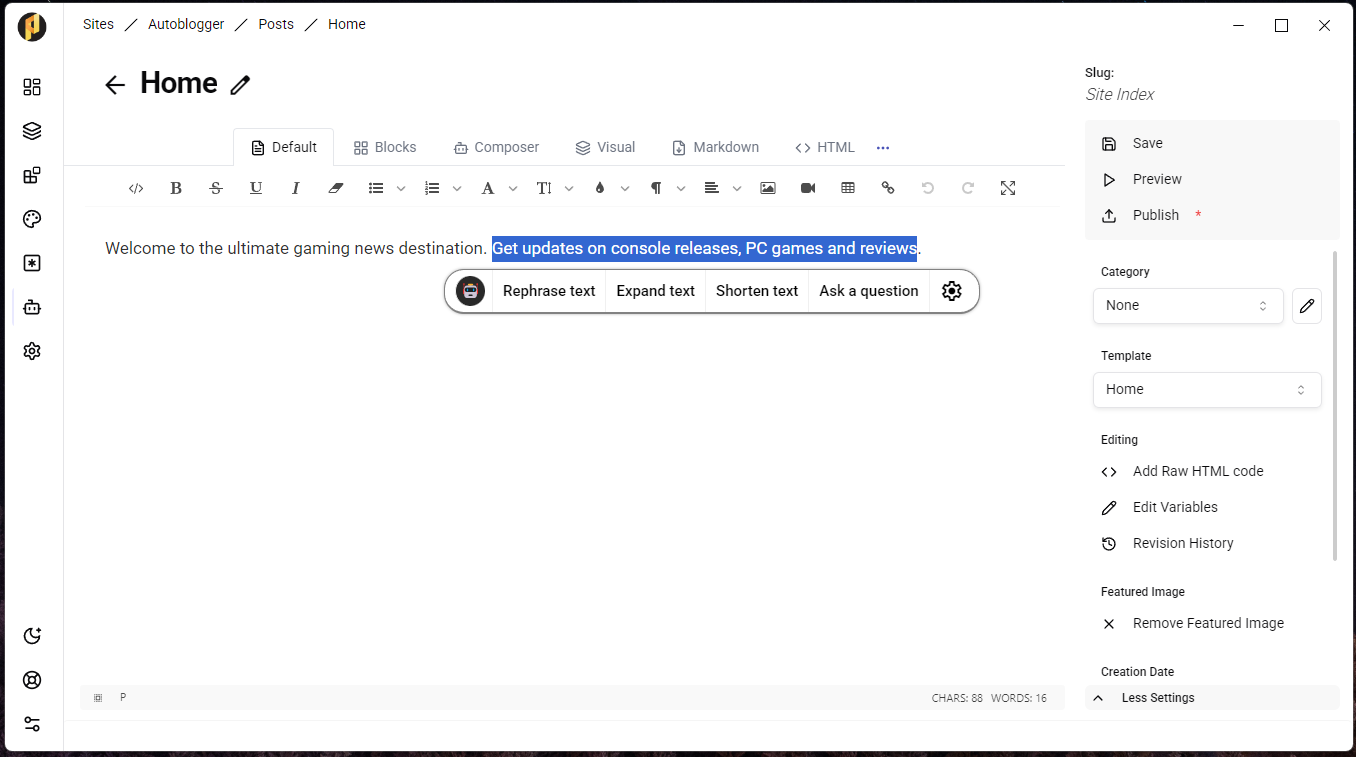
What it does
Select any text in a post and right-click. Companion can rephrase it, expand it, shorten it or strip its formatting, in place, without leaving the editor.
Companion is free
Companion costs nothing to add and runs on a model you control. PRSS includes a guided setup that installs Ollama and a starter model for you, so there is no AI bill to pay.
Local models are happier with a decent graphics card. If yours is modest, point Companion at a hosted endpoint instead — an OpenAI key works, and so does any server speaking the OpenAI API.
Update: Companion now also connects to llama.cpp's llama-server, LM Studio and vLLM, and its Batch Create tab writes a whole list of posts in one run.